How to turn a photo into a pencil sketch
Pick a photo with one clear subject and soft side light, choose Line art, Shaded sketch, Anime or Charcoal, and Speedpaint draws the sketch. A still drawing is 5 credits as a PNG; add the drawing video for 10.
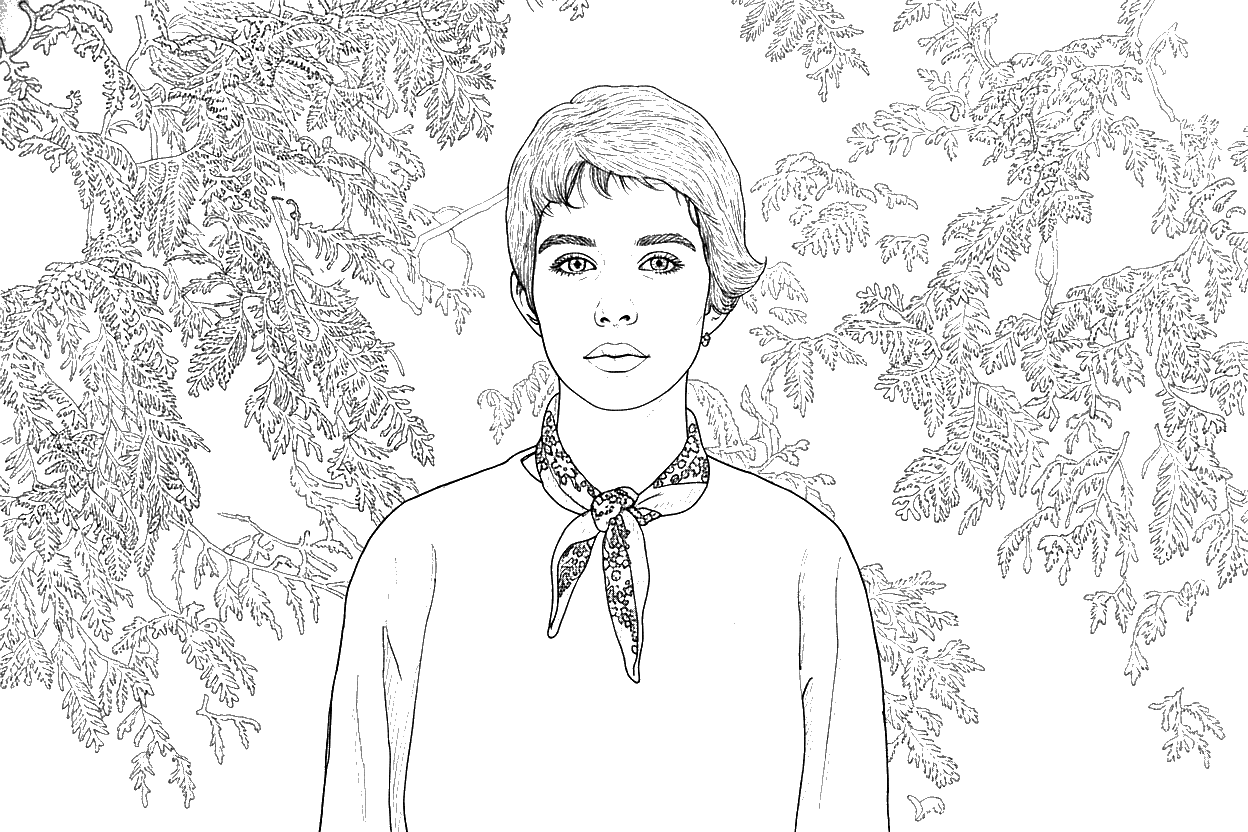
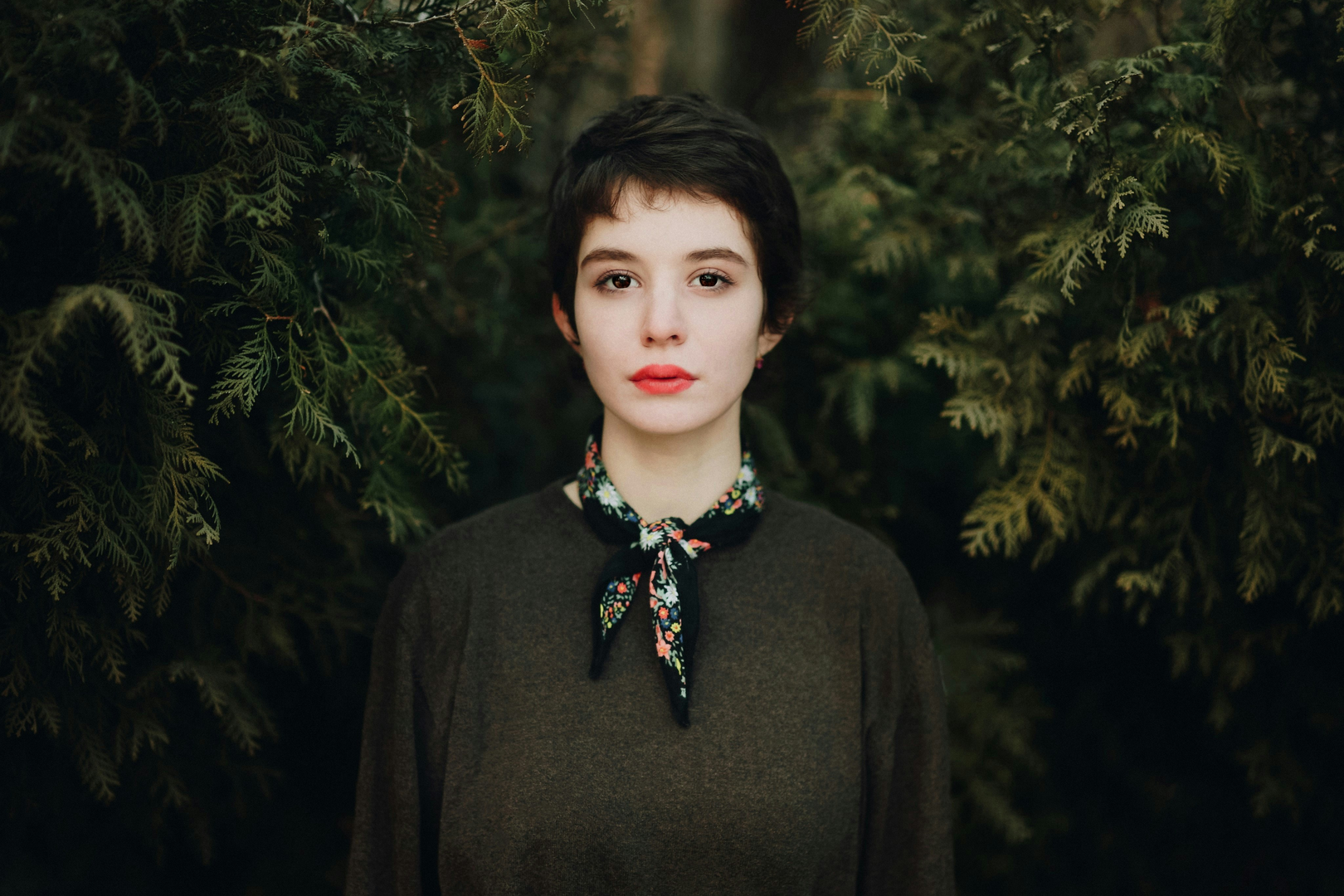
Photo by Dima DallAcqua on Unsplash
Start with a photo that survives a drawing
Four things decide whether the result looks like the person or like a stranger.
One subject
A face or a pet that fills a good part of the frame. Two people at a distance become two small faces.
Soft side light
Window light or an overcast day gives shadows the pencil can describe. Direct flash flattens the face.
A simple background
A calm wall or sky keeps the drawing about the subject. Busy foliage turns into a wall of strokes.
Sharp eyes
Focus on the eyes. Blur there cannot be recovered, and it is the first thing a viewer checks.
One photo, four drawings
The same portrait, drawn in each style. Tap one to open it full size.
Photo by Dima DallAcqua on Unsplash
Before you generate
Four settings change the file you get. The rest are cosmetic.
- Style
- Line art keeps outlines and is the safest for portraits. Shaded sketch keeps the light and shadow. Anime gives inked lines and flat tone. Charcoal is dark and soft.
- Shape
- Original, 1:1, 9:16, 16:9, 4:3 or 3:4. A portrait for printing is usually 4:5 or 3:4; a phone wallpaper is 9:16.
- Sketch or video
- A sketch is 5 credits as a PNG and stays private. A video is 10 credits and shows the drawing appear.
- Background
- White paper or a paper preset. For a print, keep the white paper and let the printer handle the margin.
What it costs
A video up to 3 minutes is 10¢, a still drawing is 5, and eligible new accounts start with $0.20 free.
What your balance pays for
Studio shows the exact cost before you start. Failed videos are refunded to your balance.
- A video up to 3 min
- 10¢
- Any style, 1080p. 4K is free on Plus and Pro.
- The full 3 minutes
- Included
- No extra charge, with or without a plan
- A still sketch
- 5¢
- A drawing, no video
- A 4K video
- +10¢
- On Lite or without a plan. Free on Plus and Pro.
Pick a plan
Your balance is topped up every month. Cancel any time.
- LiteFor trying a few videos a month$0.99a month12 videos every month
- 10¢ per video up to 3 minutes
- 4K costs 10¢ more
- No watermark. Cancel any time
- PlusRecommendedFor making videos every week$4.99a month65 videos every month
- 10¢ per video up to 3 minutes
- 4K at no extra cost
- No watermark. Cancel any time
- Pro50% off first monthFor creators who post often$4.99then $9.99 a month · 140 videos
$9.99first month- 10¢ per video up to 3 minutes
- 4K at no extra cost
- No watermark. Cancel any time
Secure checkout by Dodo Payments. Taxes shown at checkout. The first-month discount needs a card and is once per person and per card. Cancel any time in Billing.
Top-ups stay valid for one year. Existing accounts keep their original terms.
What Plus covers
Every video and sketch comes out of the same balance.
58
58 videos
14
14 sketches
How one render is priced
- Sketch only
- 5¢
- Video
- 10¢
- Video in 4K
- 10¢
4K renders at the same 10¢ as 1080p on this plan.
Photo to pencil sketch questions
The photo, the styles and the file.
What kind of photo makes the best pencil sketch?
One subject, soft light from the side, a simple background and sharp eyes. A phone photo in daylight is usually enough; Studio accepts images up to 50 MB, and the free preview up to 20 MB.
Which style should I choose for a portrait?
Line art is the clearest and keeps every label and outline. Shaded sketch keeps the light and shadow of the photo. Anime suits a graphic look, and Charcoal suits dramatic lighting.
Will the sketch look exactly like the person?
Close, not identical. A drawing style interprets the photo, so expression, hair and small features can change. Open the result at full size before printing or framing it.
What do I get, and what does it cost?
A still sketch is 5 credits and downloads as a PNG. Adding the drawing video costs 10 credits up to 3 minutes. New accounts get $0.20 free after confirming their email.
Can I print or sell the sketch?
Yes, under the Terms of Service, as long as you have the rights to the photo. If other people are in it, you need their permission. The sketch is private until you choose otherwise, and a still sketch cannot be published to Explore.
Can I get the drawing as a video as well?
Yes. Choose the video instead of the still and Speedpaint records the sketch being drawn stroke by stroke at 60 frames per second, in 1080p or 4K.
Related
Turn a photo into a drawing
Upload an image, pick a style, and watch it draw itself on canvas.
20 free credits for new accounts · No card required
Tips, new sketch styles, and studio updates
Join creators receiving new drawing techniques, style releases, and studio updates.