Turn your portrait into a YouTube Short
Upload a portrait and Speedpaint makes a vertical 9:16 video of it being drawn at 60 frames per second, in Line art, Shaded sketch, Anime or Charcoal. Post it to your YouTube channel from Speedpaint, or download the MP4. 10¢ per video; try one free.
10¢ per video · $0.20 free after sign-up · no card needed
Make your first drawing video
Try every setting below. Sign up free to make the video.
Guest video previews are paused for maintenance
Sorry about that. You can still upload an image and try every setting below. To make the video, sign up free and get 20¢ after you verify your email.
Drop an image here, or browse
PNG, JPG, or WEBP up to 20MB
Or start with this photo
The portrait from this page, ready to draw.
Loading samples…
Post straight to YouTube
Connect your channel once. Publish from your Library or right after a render.
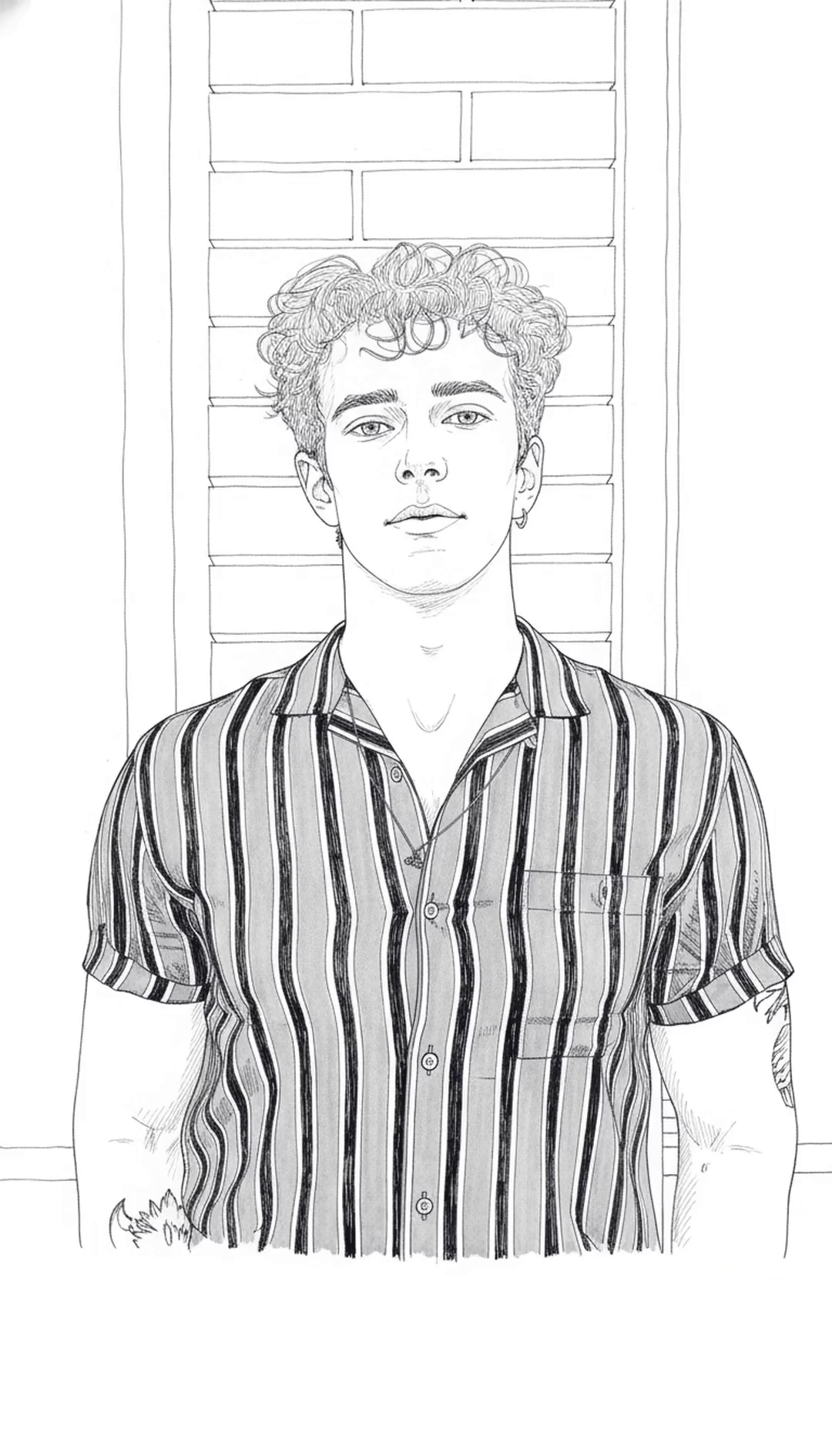
Pick a look
Same photo, four styles. Choose one before you render.
Photo by Dima DallAcqua on Unsplash
What it costs
A video up to 3 minutes is 10¢, a still drawing is 5, and eligible new accounts start with $0.20 free.
What your balance pays for
Studio shows the exact cost before you start. Failed videos are refunded to your balance.
- A video up to 3 min
- 10¢
- Any style, 1080p. 4K is free on Plus and Pro.
- The full 3 minutes
- Included
- No extra charge, with or without a plan
- A still sketch
- 5¢
- A drawing, no video
- A 4K video
- +10¢
- On Lite or without a plan. Free on Plus and Pro.
Pick a plan
Your balance is topped up every month. Cancel any time.
- LiteFor trying a few videos a month$0.99a month12 videos every month
- 10¢ per video up to 3 minutes
- 4K costs 10¢ more
- No watermark. Cancel any time
- PlusRecommendedFor making videos every week$4.99a month65 videos every month
- 10¢ per video up to 3 minutes
- 4K at no extra cost
- No watermark. Cancel any time
- Pro50% off first monthFor creators who post often$4.99then $9.99 a month · 140 videos
$9.99first month- 10¢ per video up to 3 minutes
- 4K at no extra cost
- No watermark. Cancel any time
Secure checkout by Dodo Payments. Taxes shown at checkout. The first-month discount needs a card and is once per person and per card. Cancel any time in Billing.
Top-ups stay valid for one year. Existing accounts keep their original terms.
What Plus covers
Every video and sketch comes out of the same balance.
58
58 videos
14
14 sketches
How one render is priced
- Sketch only
- 5¢
- Video
- 10¢
- Video in 4K
- 10¢
4K renders at the same 10¢ as 1080p on this plan.
Questions about YouTube Shorts
Posting, size, length and what it costs.
Can I post to YouTube from Speedpaint?
Yes. Connect your YouTube channel once, then publish a finished video as a Short with your own title, description and visibility: public, unlisted or private. You can always download the MP4 instead.
What size is the video?
Choose 9:16 in the Studio for a vertical video. It renders at 1080p or 4K, at 60 frames per second.
How long can it be?
You choose the length, up to 3 minutes. That costs 10 credits.
Does it work with my own photo?
Yes. Upload a portrait or any photo as JPG, PNG, WebP or BMP, up to 50 MB. Contours follow key facial features closely; fine textures and subtle gradients are simplified into clean drawing strokes.
How much does it cost?
10¢ per video. New accounts get $0.20 free after confirming their email, enough for 2 videos.
Can I use it for TikTok or Instagram Reels?
Yes. Download the vertical MP4 and upload it in the app. Speedpaint publishes directly only to YouTube.
Can I use the video commercially?
Yes, within the Terms of Service, as long as you have the rights to the photo and any music you add.
Related
Turn a photo into a drawing
Upload an image, pick a style, and watch it draw itself on canvas.
20 free credits for new accounts · No card required
Tips, new sketch styles, and studio updates
Join creators receiving new drawing techniques, style releases, and studio updates.