Choosing between Speedpaint’s four drawing styles
Line art, Shaded sketch, Anime and Charcoal: what each one does to a photo, which suits a portrait or a diagram, and why the old drafting style is gone.

Four styles, one price
Speedpaint draws your image in one of four styles. The choice changes the drawing itself, not just the paper or the hand. Every style costs the same 10 credits for a video up to 180 seconds, and 5 credits for a still.Line art
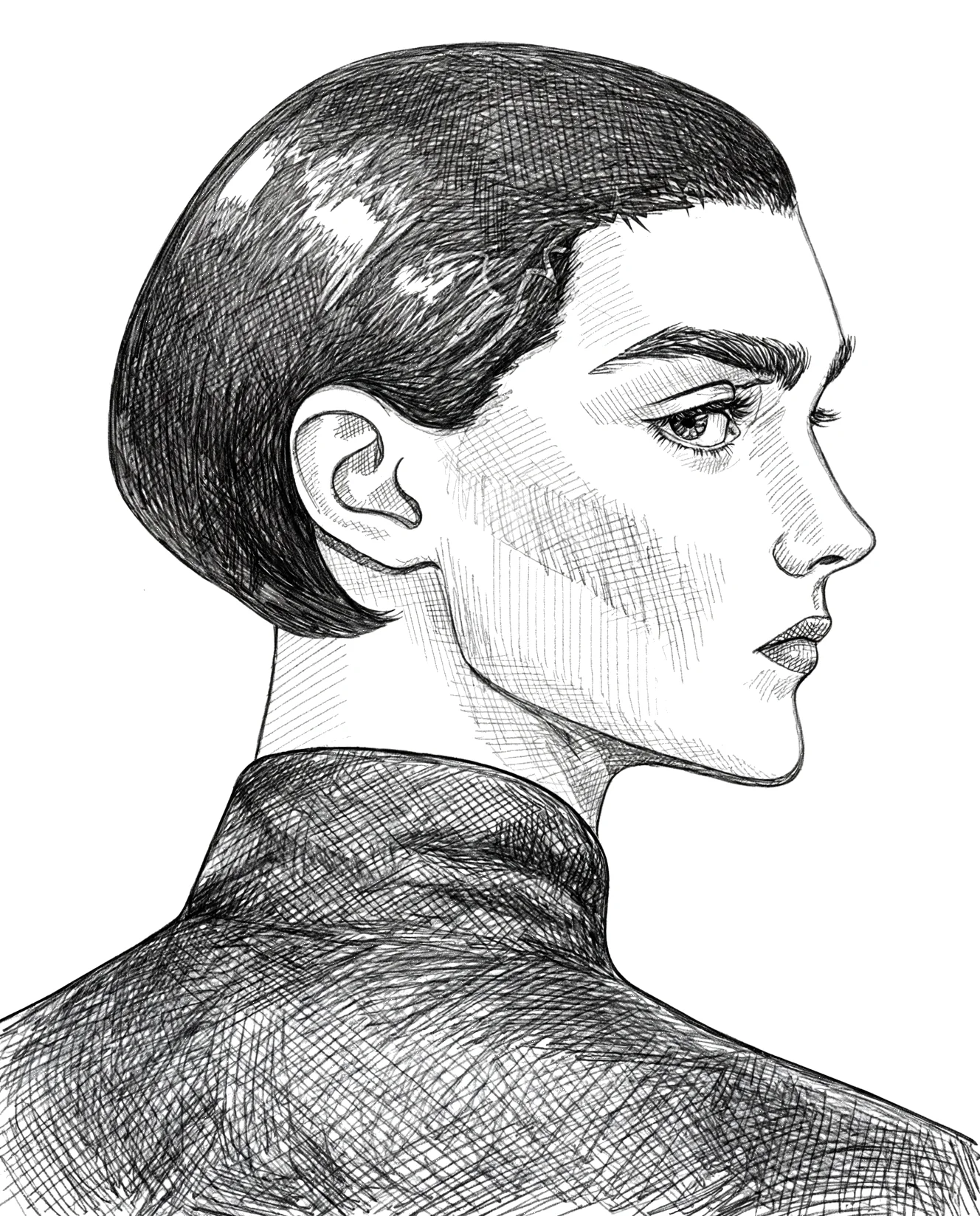
Line art keeps the outlines and drops most of the tone: black lines on white paper. It is the default because it reads at any size and holds a likeness together. It suits portraits, logos, buildings and diagrams, and it is the safest choice when the drawing will be printed small. Try it in the photo to line art tool.Shaded sketch
Shaded sketch keeps the light and shadow of the photograph alongside the outlines. Cheeks, hair and fabric keep some depth, which makes it the better choice for a portrait where the lighting is part of the picture. The cost is that busy textures can turn into noise.Anime
Anime draws clean inked lines with flat manga-style shading and simpler shapes. It interprets the face more than the other styles, so the likeness can shift. It is a look rather than a faithful copy, and that is the point.Charcoal
Charcoal uses heavy, dark, soft marks. It rewards dramatic side lighting and punishes flat, evenly lit photos, where it can turn muddy. For a moody portrait it is the most distinctive of the four.What happened to drafting
The architectural or drafting style was retired. A request that still names it renders as Line art, which is the closest match. The other three styles are unchanged, and no video renders a style that is no longer offered.How to choose
Start with Line art unless the light in your photo is the reason you like it. If the drawing is for a print, compare the result at full size before you commit: a style that looks good as a thumbnail can lose detail on paper. Changing the style means starting a new render, and each render is charged normally.Turn any photo into a drawing video
Eligible new accounts receive $0.20 free after email verification. Check the cost of your selected settings in Studio before creating a video.
Related articles & drawing guides
Explore related techniques and practical workflows in the Speedpaint Journal.
What is whiteboard animation? A practical starting point
A hand draws on a white board while the explanation plays. What that looks like in 2026, what it costs, and what a drawing tool can and cannot do.
Planning audio for a whiteboard animation
Music, narration and the pencil sound: what the studio provides, what you record yourself, and how to line the voice up with the drawing.
Planning the cost of a whiteboard animation
What a whiteboard style clip costs in credits, how many clips a lesson needs, and where a budget actually goes when you plan a series.